

Creating a Christmas Folder
Christmas is an important season for churches and one that provides an excellent opportunity to invite people along. If you want to make a Christmas folder that you can use each year here is what we suggest.
1. Create a new folder called Christmas.
Click on My Site > New > Folder - see screenshot below
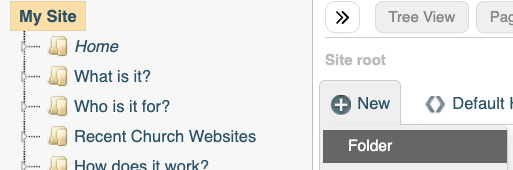
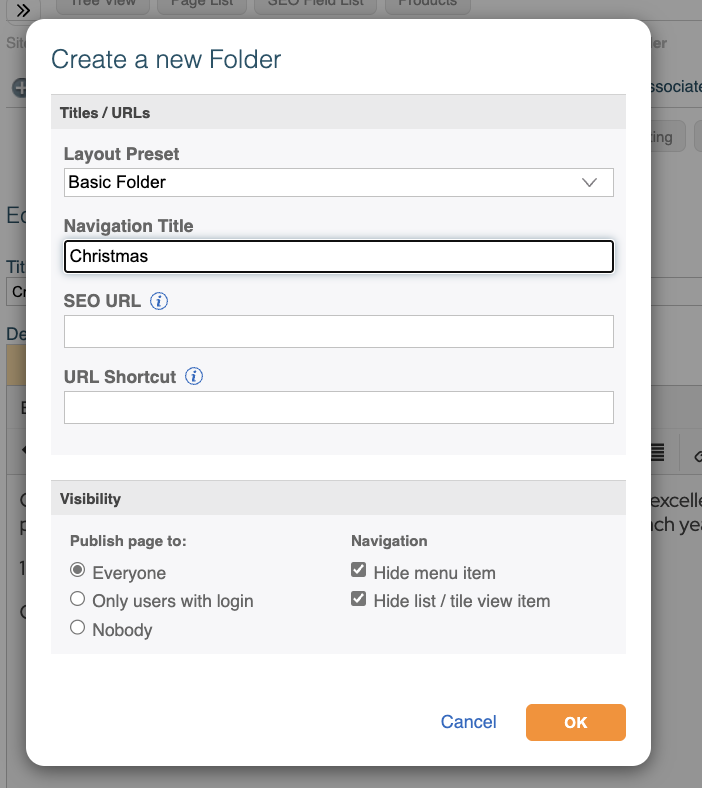
Complete the Dialogue box using the Navigation Title Christmas, and setting the Visibility > Navigation to Hide all options, and click OK - see screenshot below.
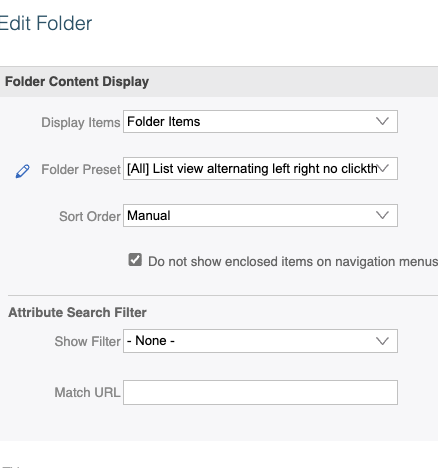
2. Choose your preset for how you want your folder to look. We've chosen:
List view alternating left right no clickthrough, please note that we have ticked the box "Do not show enclosed items on navigation menus":
3. Click on the folder Christmas in the left hand nav so that it goes orange, now click New > Page
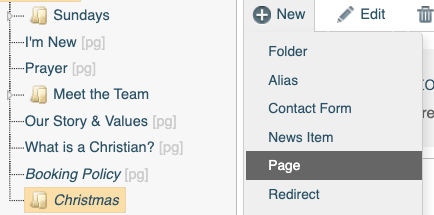
Then complete the pop up Dialogue box with a title, we've used Nativity Service, and then click OK.
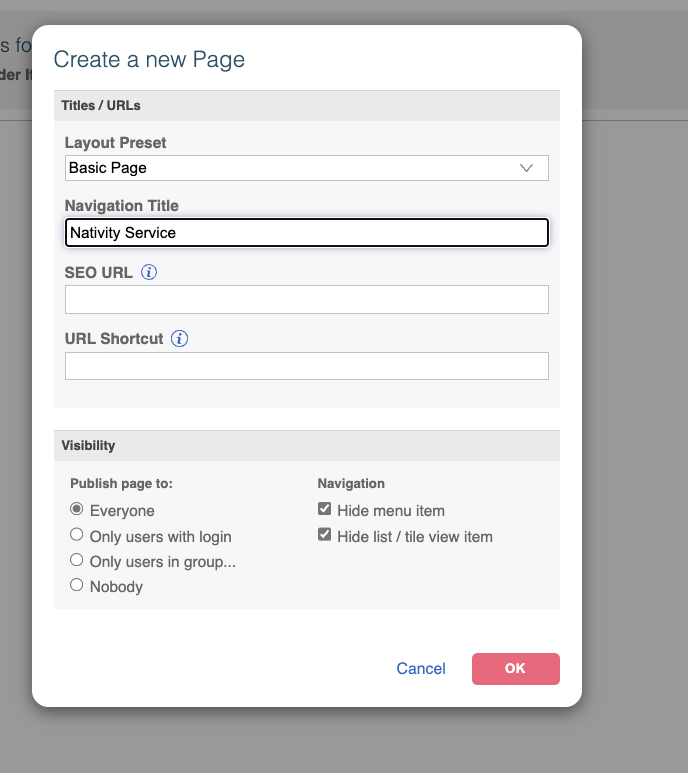
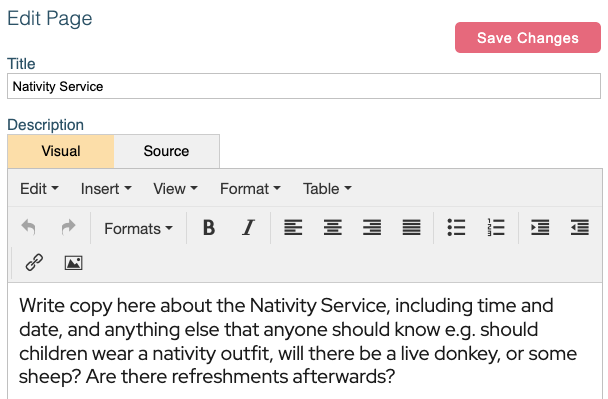
4. Write information on the page about the service, and click Save Changes. See some suggestions below.
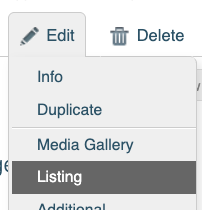
5. Whilst still on your Nativity page - it will be orange in the left hand nav - click the action Edit > Listing - see screenshot:
6. Once the Listing page appears click on the Page Images fly-out and click Add Files and find a responsive nativity image to use as your Listing image. Please do not have any writing on it, and make sure that it works well on the mobile.
Then drag the image into the List Image box:
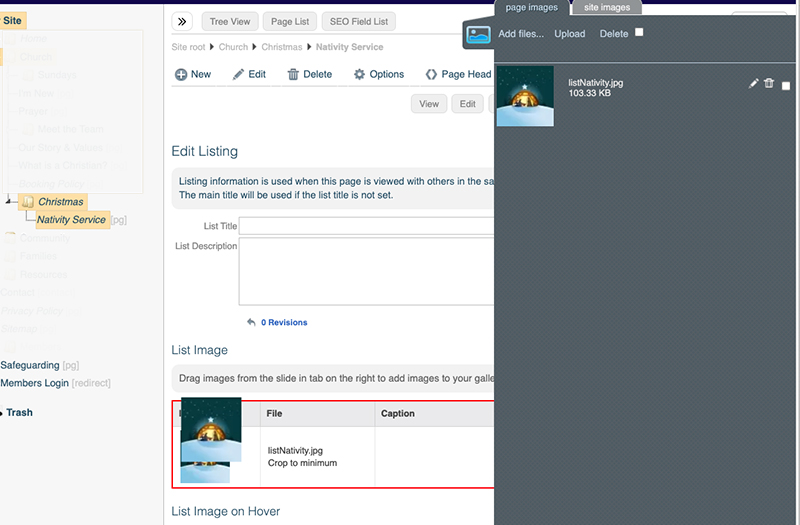
Click Save Changes.
6. Repeat the above from point 3 for all other services and activities that are taking place over the Christmas period.
7. Finally click on Christmas folder in the left hand nav and click Page Head Tags and write Christmas Services Your Church's name and Town. Click Save Changes.

And that's it. Publish the folder when you are ready to share it and we would suggest that you click on Home and drag Christmas folder into the Related area under Edit and delete one of the boxes that are already featured (you can add it back in after Christmas).
After Christmas hide the folder and its contents and then use it again next year.